Gaming Desk Setup Ideas That Actually Improve How You Play
Four upgrades that change how your setup feels to use, not just how it photographs — desk, monitor arm, lighting, and a proper desk mat.

The best gaming desk setup ideas aren't about matching RGB colors — they're about fixing the four things that make a desk annoying to use every day: a surface too small or too flimsy, a monitor at the wrong height, a cable nest under your feet, and a mouse pad that slides or runs out of room mid-flick. This guide covers exactly those four fixes with real products — a RESPAWN gaming desk built around cable routing, a HUANUO monitor arm that gets your screen to eye level, Govee RGBIC lighting that actually reduces eye strain instead of just looking good on camera, and a Corsair extended mouse pad that gives your mouse and keyboard one continuous surface. This is the companion piece to what's inside the tower — if you haven't sorted the PC itself yet, our budget PC setup guide covers the CPU, GPU and RAM side of things.
RESPAWN 1063 Gaming Desk — the surface everything else depends on
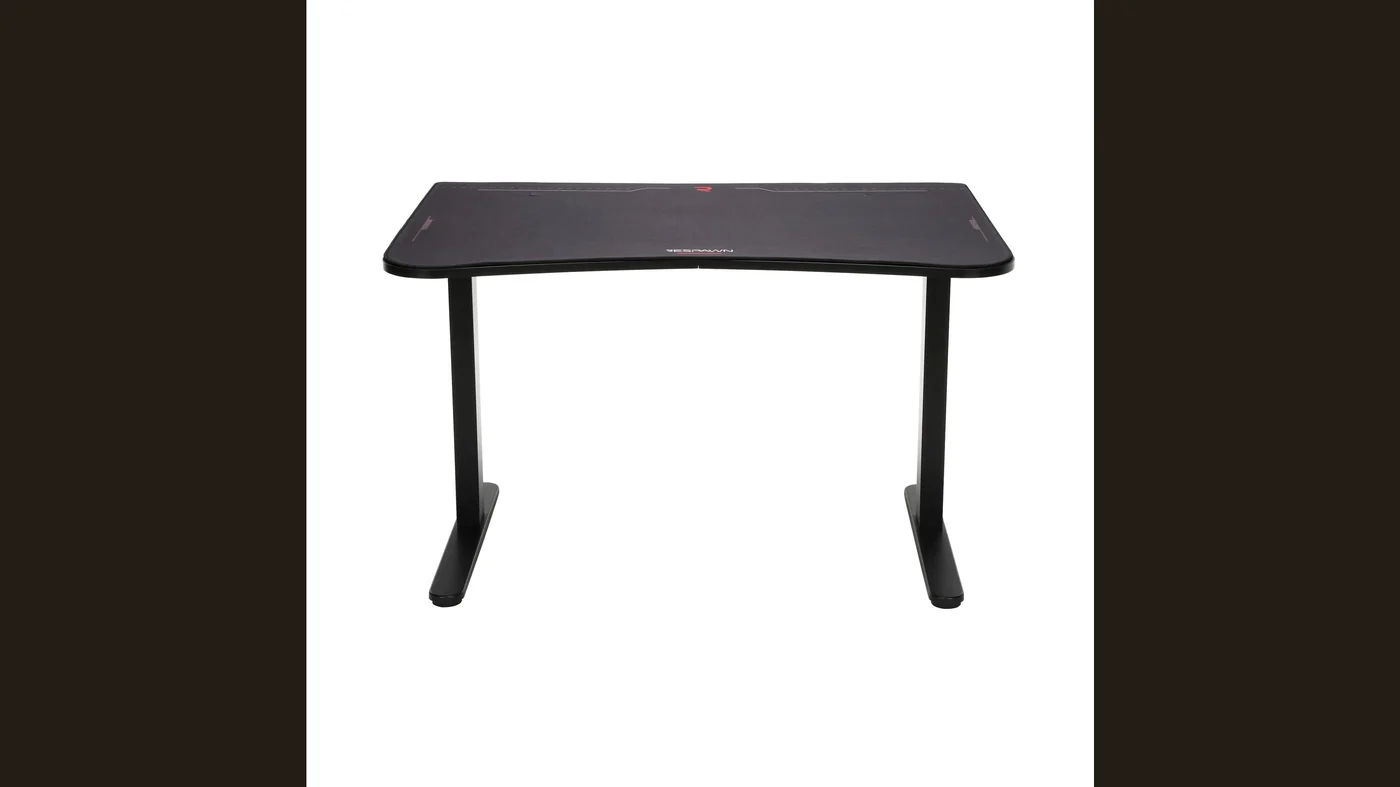
Before lighting or a monitor arm matters, the desk itself has to be sturdy and sized right, and this is where a lot of "gaming setup" purchases go wrong — a wobbly desk undermines every accessory you put on it. The RESPAWN 1063 gives you 63 inches of width, which matters more than people expect once you add a monitor arm, a mouse pad big enough for low-sensitivity play, and a keyboard without everything feeling cramped. It has a built-in cable management channel and grommet holes at the back, so power bricks and cable runs don't end up as a visible tangle, and the raised monitor shelf at the back keeps a display or speakers off the primary work surface entirely.
We picked the 63-inch version over RESPAWN's smaller 48-inch desk specifically because the extra width is what makes a monitor arm and a full-size extended mouse pad coexist comfortably — if your room genuinely can't fit it, the smaller version keeps the same cable management design at a smaller footprint.

HUANUO Single Monitor Arm — the simple fix for a bad monitor position
Most gaming desk setups have the monitor either too low (leading to neck strain over long sessions) or wedged on a stand that eats the desk space right where your mouse needs to travel. A proper monitor arm solves both. The HUANUO single monitor arm holds displays up to 34 inches and 19.8 lbs, clamps to the desk or mounts through a grommet hole (both included), and gives you full height, tilt, swivel and rotation adjustment — so you can actually set the top of your screen at eye level instead of guessing with a stack of books.
Clearing the stock stand off the desk is the single biggest space-reclaiming move in this whole list, and it's also what makes the extended mouse pad below worth buying — there's finally room for it. If the monitor itself is due for an upgrade rather than just a better arm, our best gaming monitor under $300 review covers a display worth putting on it.

Govee RGBIC LED Neon Rope Lights — ambiance that also cuts eye strain
Lighting is the part of a gaming desk setup people treat as pure decoration, but bias lighting behind your monitor genuinely reduces eye fatigue during long sessions by narrowing the contrast between a bright screen and a dark room. The Govee RGBIC neon rope lights run 16.4 feet, sync to music or on-screen color through the Govee app, and can be cut to fit around a desk, shelf, or monitor back rather than being locked into a fixed strip length. They also sync with Razer Chroma if your other peripherals support it, which is a nice touch if you're already leaning into a coordinated setup.
If you want lighting focused purely on reducing glare and strain rather than looking flashy, keep the brightness on a warm white preset rather than cycling colors during actual play sessions — save the RGB show for downtime.

Corsair MM350 PRO Extended XL — one surface for mouse and keyboard
A desk mat solves a problem smaller mouse pads create: your mouse pad edge becomes an invisible wall that clips your sensitivity, and a separate keyboard resting directly on wood or laminate slides more than people realize. The Corsair MM350 PRO covers a 36.6 x 15.7-inch area, wide enough to hold a full keyboard and mouse with room to spare, with a spill-proof coating that matters more than it sounds like it would the first time you knock over a drink at 1am — if the keyboard sitting on it still has membrane switches, our best gaming keyboard under $100 review covers the mechanical upgrade that pairs well with a desk mat this size. The stitched edges hold up to years of daily use without fraying, which is where cheaper mats fail first.
For a mouse to actually pair well with a surface like this, our best gaming mouse 2026 guide has picks across every budget, and if headset clutter is part of your desk chaos too, our best gaming headset under $100 roundup is worth a look alongside this setup.

Gaming desk setup ideas: the comparison table
| Upgrade | Category | What it fixes |
|---|---|---|
| RESPAWN 1063 Gaming Desk | Desk | A stable surface with built-in cable management |
| HUANUO Single Monitor Arm | Monitor arm | Screen height and distance for better posture |
| Govee RGBIC LED Neon Rope Lights | Lighting | Ambient light that reduces screen glare |
| Corsair MM350 PRO Extended XL | Desk mat | A large, consistent surface for mouse and keyboard |
Four upgrades, and none of them touch what's inside the PC itself — that's deliberate. Check the current price of each on Amazon before you buy, since prices move. This is the setup layer: the desk, the monitor position, the lighting, and the surface your hands actually rest on for hours at a time.
The bottom line
The gaming desk setup ideas that actually matter aren't the ones optimized for a screenshot — they're the ones that fix posture, glare, and cable chaos so the desk disappears into the background while you play. Start with the desk and monitor arm since they fix physical problems (space and neck strain); layer in lighting and the desk mat once those fundamentals are handled. If the PC itself still needs work, our budget PC setup guide is the natural next stop — and if you're planning to point a camera at this desk eventually, our beginner streaming setup guide covers the webcam, mic, and lighting layer on top of it.
FAQ
What size desk do I actually need?
How much weight can the HUANUO monitor arm hold?
Does RGB lighting actually help, or is it just for looks?
Is the Corsair MM350 PRO desk mat spill-proof?

Focuses on hardware and setup picks for VoxRig, built around manufacturer specs, verified buyer feedback, and independent professional testing from trusted outlets — cross-referenced before any recommendation goes live.